Short answer: a vector file stores your logo as mathematical paths rather than pixels, which means it can be printed at any size without going blurry. The formats are .ai, .eps, .svg and .pdf. A .jpg or .png isn't one.
A longer answer is that the file extension only gets you halfway, because a file can carry the right extension and still be unusable.
This guide covers what a vector file is, how to check what you've actually got, and what happens if it turns out you haven't got one. That last part is easier than you think.
What Is a Vector File?
A vector file stores your logo as mathematical paths, points, lines and curves, rather than as a grid of pixels.
That's why it can be scaled from a pen to a pull-up banner without going soft or blocky, keeping logos sharp from a business card to a billboard, and it's why decorators ask for one before printing anything.
A photograph is a grid. Every pixel has a position and a colour; the grid is a fixed size, and making it bigger means stretching what's already there.
That's why an enlarged photo goes fuzzy.
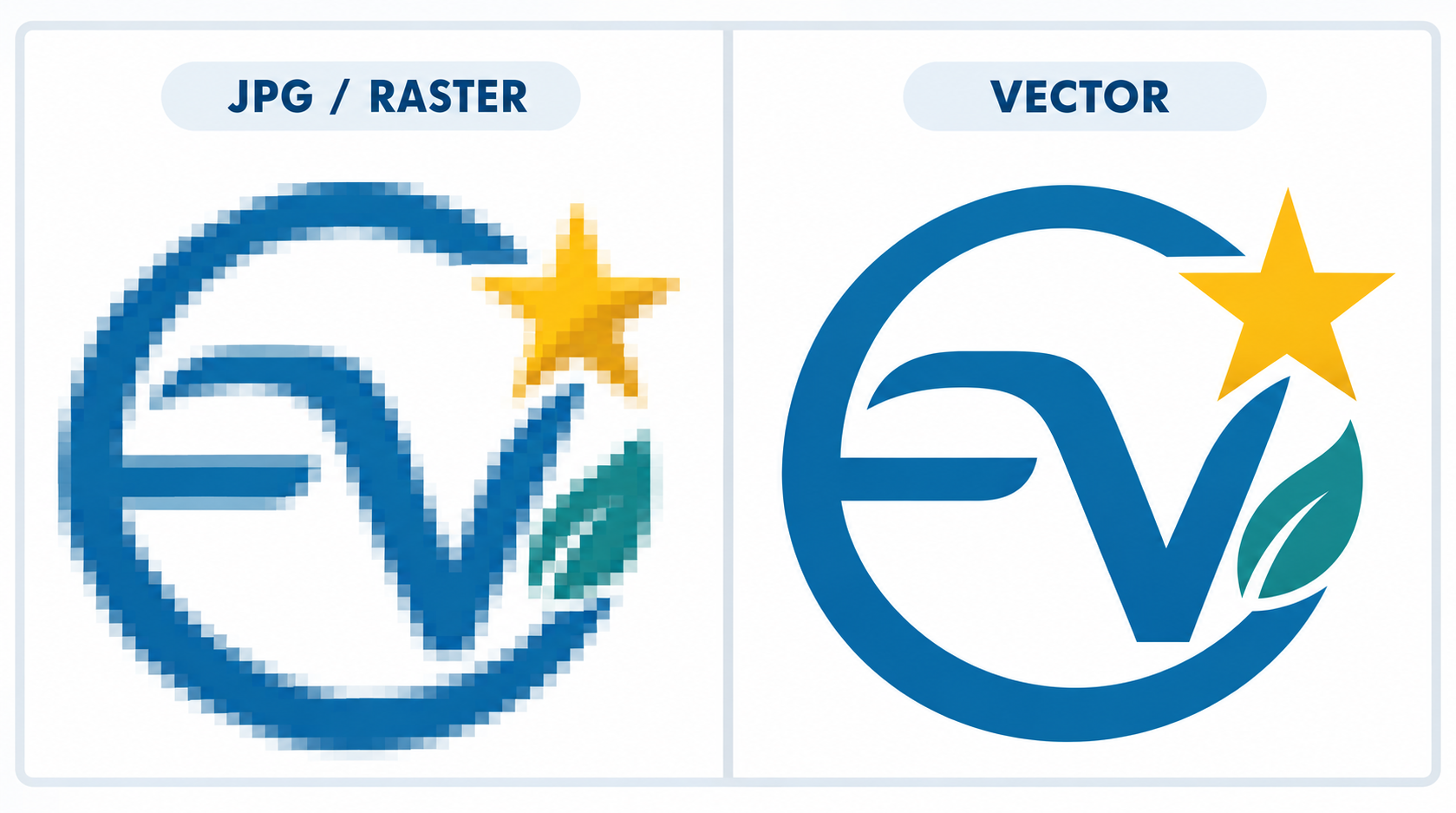
A vector file doesn't store a picture at all.
It stores instructions: a curve from here to here, filled with this colour, with a line of this thickness. Your computer redraws those instructions at whatever size it's asked for, so the logo is recalculated rather than stretched; that's what makes a vector image so useful.
The difference shows up on a print run for products, clothing and branded merchandise. The same logo might go on a pen at 15mm wide and a banner at two metres. From a vector file, those are the same job.
From a JPEG, the pen is fine, and the banner is a mess.
What's the Difference Between Vector and Raster Images?
Raster files are made of pixels and have a fixed size, so enlarging one means stretching the pixels and losing quality. Vector files have no fixed size at all, because the shapes are stored as instructions rather than as a finished picture.
Raster is the category almost everything you own falls into: raster images like photos, screenshots, and anything downloaded from a website.
| Vector | Raster | |
|---|---|---|
| Made of | Paths and shapes | Pixels |
| Scaling | Any size, no quality loss | Fixed size, blurs when enlarged |
| Common digital image formats | .ai, .eps, .svg, .pdf | .jpg, .png, .gif |
| Best for | Logos, icons, anything printed at multiple sizes | Photographs |
| Accepted for decoration | Yes, across every method | Sometimes, depending on size and quality |
The reason your logo specifically needs to be vector is that a logo lives at every size. A photograph only ever has to be one size, which is why nobody asks for a vector photo.
Which File Formats Are Common Vector File Formats?
Four formats cover almost everything: common vector file formats .ai, .eps, .svg and .pdf. Brand Surge accepts all four, and they give the best results across every decoration method.
.ai is Adobe Illustrator's own format, and it's usually the original your designer worked in. If you've got one, you've got the master.
.eps is the long-standing exchange format, and it's still what most decorators ask for by name. More on it in the next section.
.svg is the web standard, published by the W3C, which defines it as a language for describing two-dimensional vector graphics. SVG files are commonly used in web and app design for icons and graphical elements, and .svg files are ideal for web graphics and support animation in modern browsers.
It's increasingly what you'll get out of Canva or a modern brand kit.
PDF formats and files can be vector, and in the Portable Document Format they can just as easily be a scan of a letterhead. It's the format most likely to mislead you, which is worth knowing before you send one.
Brand Surge's position on all of this is published on its decoration options page: vector files give the best results across all decoration methods, and if you've only got a .jpeg or .png, send it through anyway, and the team will tell you whether it'll work with these different formats used for different applications.
What Is an EPS File?
EPS stands for Encapsulated PostScript. It's a vector file format and an industry standard for sharing artwork with decorators and print shops, because almost every print and branding system can read it. If your designer has sent you one, you're probably in good shape.
EPS has been around long enough that it remains a standard format used across design programs and production systems, working as a common language for document transfer between software and equipment that were never designed to talk to each other.
That's why it survives in branded merchandise long after the web moved on to other things.
It's also the file that most often arrives looking broken, because your computer can't preview it.
How Do You Open an EPS File?
Most computers won't preview an EPS on their own, which is why it shows up as a blank or generic icon. You don't need to open it for your decorator to use it, but if you want to see it, you have options that cost nothing.
Drag it into a web browser, which handles many EPS files without any software. Open it in a free viewer or a free design app. Or, if someone in the business has design software, open it there. If none of that works, the file still isn't necessarily broken.
Send it through and let the decorator check it, because their software will open things yours won't.
How Can You Tell If Your Logo Is a Vector File?
Start with the extension, then look at the image file properly. A .jpg or .png is never a vector. PDF files, .eps or .svg usually are, but not always, which is why the second check matters.

Three checks, in the order of how much software they need.
Check the extension
Look at the end of the filename. If it ends .jpg, .jpeg, .png or .gif, it's raster, and no amount of renaming changes that. If it ends .ai, .eps, .svg or .pdf, keep going.
Zoom in
Open the file in a web browser or any viewer and zoom as far in as it'll go, right onto the edge of a letter. A vector edge will stay crisp no matter how far you go.
A raster edge breaks up into visible squares. This takes about fifteen seconds and needs nothing you don't already have. Most advice on this assumes you own Adobe Illustrator, which is a strange assumption to make about someone who's just been asked what a vector file is.
Click the shapes if you have design software
In a design app, a vector file gives you individually selectable shapes with visible anchor points around their outlines, which shows the graphics information and vector data inside the file. A raster file selects as one flat picture with a box around it.
If the whole logo selects as a single object with nothing editable inside it, it isn't vector, because you can't edit the shapes directly.
Why Does a File With the Right Extension Sometimes Still Get Rejected?
Because a raster image can be saved inside a vector container. A .pdf or .eps that's really a photograph of a logo passes the extension check and still can't be printed at size if the image inside is low resolution.
The wrapper is vector. The contents aren't.
This isn't a fault or a corruption; it's how the formats are designed. The W3C's definition of SVG explicitly covers mixed vector/raster graphics, and PDF and EPS have always been able to carry photographs and other graphics information in different formats.
So a file can be a genuine, valid .eps that contains nothing but a screenshot.
It usually happens one of three ways: someone pasted a logo image into a document and saved it as a PDF, someone scanned a printed letterhead, or a design tool flattened everything on export. The zoom test catches all of them.
Pixels are still pixels, whatever the file is called, so if the edges break into squares when you zoom, the extension is telling you something the file can't back up.
This is worth checking before you send artwork rather than after, because it's the sort of thing that surfaces at proof stage, hurts print quality, and can also leave you with a needlessly large file size.
What If You Haven't Got a Vector File?
Send what you've got. Brand Surge's team will tell you whether it'll work as it is, and if it won't, they can redraw your logo as a vector.

You don't need to solve this before you can order. That's worth saying plainly, because most guides on this subject leave you with the impression that you have to go and commission a designer before anyone will talk to you.
Most re draws cost nothing. A basic logo without complex detail is usually redrawn at no charge, and image tracing converts raster images into vector paths automatically for simple artwork.
A complex design needs a quote, because auto-tracing often struggles with complex shapes, and this is the kind of rebuild graphic designers or decorators handle carefully; when precision matters, manual tracing with the Pen Tool is what delivers high-quality results.
You'll be told which applies to yours before anything goes ahead, so there's no risk in sending it through to find out.
What makes a raster logo easier to work from:
- Size. Bigger is better. A logo lifted from a website header is usually small; the same logo on an old print file is usually not.
- Sharpness. Clean edges redraw more accurately than a blurry or heavily compressed image.
- Flat colour. Solid shapes and defined lines rebuild cleanly. Gradients, shadows and photographic detail are harder.
- Completeness. A full logo beats a cropped one, and a version on a plain background beats one sitting over a photo.
Redrawing means your logo gets rebuilt as paths, from scratch, to match what you sent and create vector files you can reuse. The result is a proper vector file, and it's yours to use everywhere afterwards, not just on this order.
Editing vector files is, therefore, similar to editing typical image types. It's the export that matters.
How Do You Get a Vector File of Your Logo?
Ask whoever designed it, because the original almost always still exists, and that's the best route back into the original graphic design process. If that's a dead end, a decorator or designer can redraw it from whatever you have.
Four places to look, in order of how likely they are to work:
The designer or agency who made it. They'll have the source file. Ask for the vector files, .ai or .eps, especially if the original was a vector logo used across other branding assets.
Your own brand folder. If you were given a brand kit or style guide when the logo was made, the vector files are usually sitting in it under names you didn't recognise at the time.
The platform you built it in. If the logo was made in Canva or a similar tool, check the export options for SVG rather than PNG, since it's the go-to format for web-ready vector output when available.
A redraw. Covered above, and the answer when the other three come up empty. On your next logo, ask for the vector source files in writing as part of the job. That's the moment they're cheapest and easiest to get.
What Does Your Decorator Need Besides the File?
Your Pantone colours, and an approval on the proof. Brand Surge supplies a free digital proof with every order, and nothing goes into production until you've signed it off.
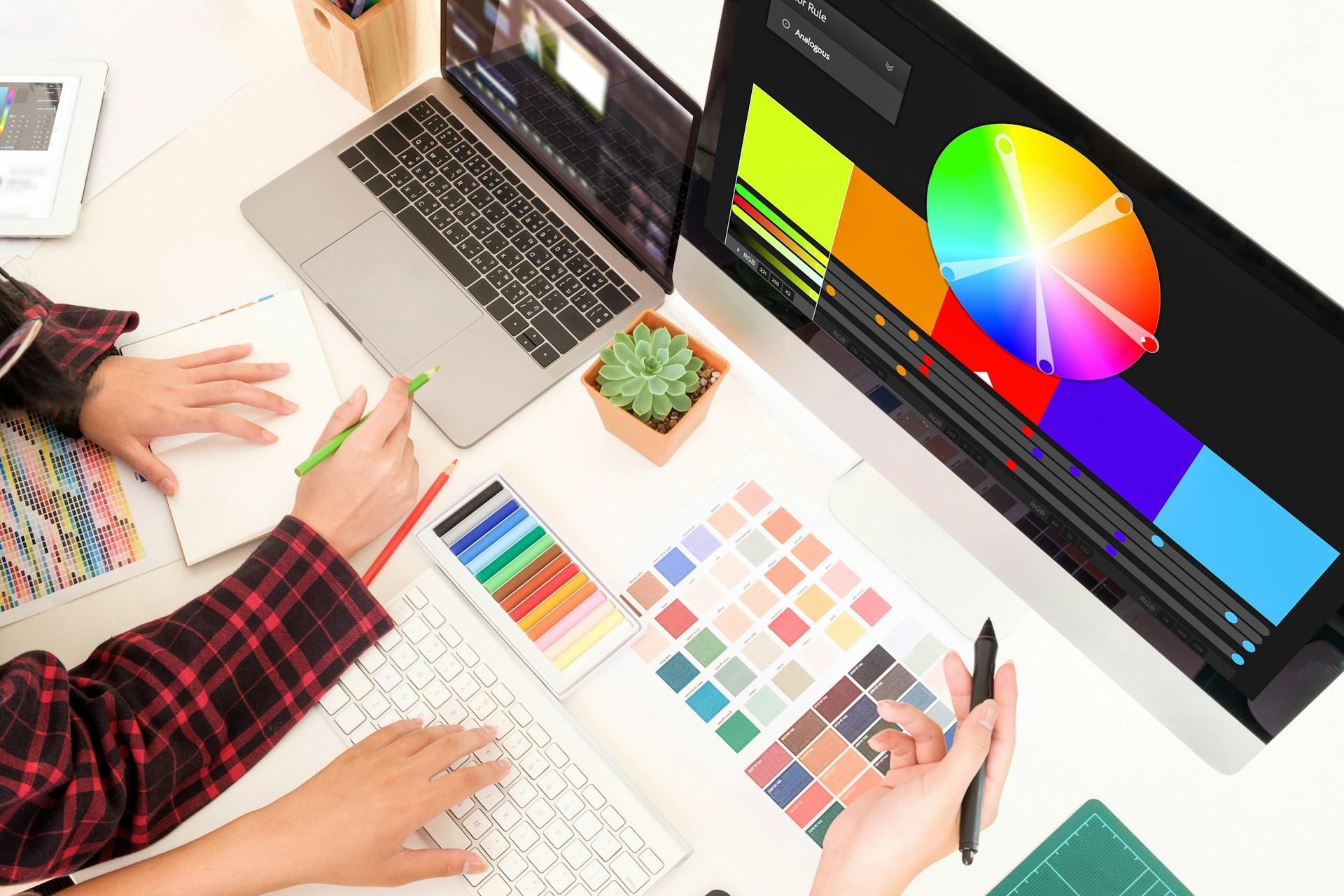
Send your Pantone colours when you place the order or request the quote rather than afterwards. Pantone matching is available across many decoration types, and knowing the numbers up front avoids a round of guesswork.
Colour count depends on the method. Digital print, sublimation and digital transfer handle unlimited colours as standard. Screen print and pad print work best with simpler designs, though they can still produce multi-colour results. The decoration options page sets out what each method suits.
Getting the file to us is the easy part.
Upload your logo on the product page as you add it to an order or a quote, or email it through. Either way, it reaches the same team, and you'll get a mockup back before anything is produced.
Send Us Your Artwork
If you know you've got a vector file, send it through, and it'll go straight into a mock-up. If you're not sure, or you know you haven't, send what you've got anyway. The team will tell you what they can work with and what needs redrawing, and you'll get a free digital proof before anything is produced.
Get in touch with your artwork and your Pantone colours, and you'll have an answer the same day. Or browse the range first and worry about the file when you know what you want branded.
Frequently Asked Questions
No. PNG is a raster format, so it's made of pixels and has a fixed size. The transparent background fools a lot of people into thinking otherwise, because transparency feels like a professional feature, but a transparent PNG is still pixels and still blurs when enlarged.
Yes. SVG stands for Scalable Vector Graphics, a scalable vector file format used widely by web browsers, and the W3C defines it as a language for describing two-dimensional vector graphics.
SVG files are supported by modern browsers and are commonly used for web graphics.
It's a good format to be given, though an SVG can still contain an embedded raster image, so the zoom test is worth doing because true vector artwork can be resized infinitely without losing quality.
Usually, and it's the format most decorators ask for. An EPS can contain a raster image in the same way a PDF can, so the extension alone isn't proof.
Not by converting it directly, because converters rebuild artwork as vectors defined by mathematical formulas rather than simply upgrading pixels.
Automatic converters exist and produce rough results on anything but the simplest shapes, and the traced paths and line segments often need cleanup.
What works is redrawing the logo as paths, which is a person rebuilding it rather than software tracing it, and once it's properly redrawn, the result is easily converted to other professional formats.
A vector format file, in .ai, .eps, .svg or .pdf, is the best choice for print, especially when the artwork must remain sharp. If you haven't got one, send the highest-quality version you have and ask the team to check it, as vectors are the go-to format for logos sent to production because they remain sharp at any size.
No, and embroidery is the exception worth knowing about. Before a machine can stitch your logo, it has to be digitised into a stitch file, which is a separate step from the artwork itself.
Brand Surge uses a dedicated digitiser for this, usually turned around the same day.
A vector file is still the better starting point, but a high-resolution PNG or JPG is fine for embroidery.