









-

Mini Car Charger
From$2.41Compact 1 Amp car charger with an LED that lights up when it is in use.Features:* 1 Amp car charger with an LED indicator -


House Wireless Charger
From$11.36House-shaped 5W wireless phone charger which is ideal for promoting a wide range of home services. It is compatible with devices that are enabled for wireless charging and will charge most modern... -
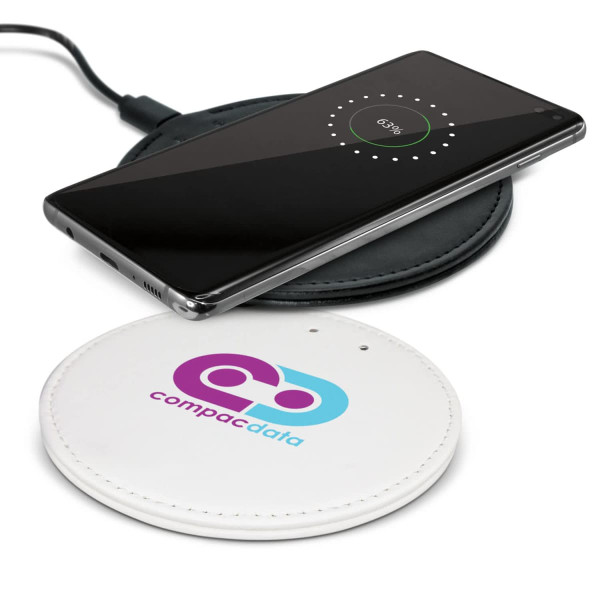

Hadron Wireless Charger
From$10.98Smart 5W phone charger which is manufactured from stylish leather-look PU. Hadron will charge devices that are enabled for wireless charging and will work with most modern phones. Simply plug it into... -


Photon Car Charger
From$9.70Charge multiple devices simultaneously with this fast car charger, perfect for long commutes and road trips. The charger features three charging ports two USB-A ports and a Type-C port.Features:*...
Description
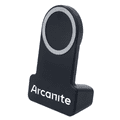
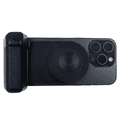
With its sleek design and built-in 200mAh battery capacity for photo taking, this stand ensures you take great photos and your gadgets stay charged and within reach at all times. Never worry about low battery again and experience convenience and reliability with the Bolt Charging Stand.
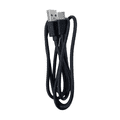
Note: Please use a TYPE-C cable and a wall charger to connect this charging stand, place your phone in the charging area, and your phone will be charged automatically, and the built-in battery will be also charged at the same time.
Disclaimer: The magnetic ring that comes with the charger, does not attach to the stand. The magnetic is to only be stuck on the back of your phone if your phone isn't mag-safe.
Product Dimensions:
120mm H x 79mm (Bottom of stand) x 60mm (Top of stand)
How to Use Camera Connection:
1. Press and hold the ON key for 2 seconds, and the blue indicator flashes. Make sure your mobile Bluetooth is turned on, search for the new device and connect;
2. After the connection is successful, the blue indicator remains on. At this time, the mobile phone holder can take photos and videos.
3. When not in use, press the ON key for 2 seconds. If the indicator light is off, it means the power is off.
4. It will automatically shut down when the battery is low. At this time, the product needs to be charged. The red indicator light is always on when charging, and the light is off when fully charged. The charging time is about 2.5 hours.
Note: Please use a TYPE-C cable and a wall charger to connect this charging stand, place your phone in the charging area, and your phone will be charged automatically, and the built-in battery will be also charged at the same time.
Disclaimer: The magnetic ring that comes with the charger, does not attach to the stand. The magnetic is to only be stuck on the back of your phone if your phone isn't mag-safe.
Product Dimensions:
120mm H x 79mm (Bottom of stand) x 60mm (Top of stand)
How to Use Camera Connection:
1. Press and hold the ON key for 2 seconds, and the blue indicator flashes. Make sure your mobile Bluetooth is turned on, search for the new device and connect;
2. After the connection is successful, the blue indicator remains on. At this time, the mobile phone holder can take photos and videos.
3. When not in use, press the ON key for 2 seconds. If the indicator light is off, it means the power is off.
4. It will automatically shut down when the battery is low. At this time, the product needs to be charged. The red indicator light is always on when charging, and the light is off when fully charged. The charging time is about 2.5 hours.
